 1SO
1SO
Ask once. Get several AI answers.
Stop pasting the same question into five tabs. Type it once, tick the engines you want, and open them all together — then compare.
No sign-up · No login · We don't collect what you search
What it looks like
One box, 50 engines. Tick what you want — they all open at once, grouped, and listed in the side panel.
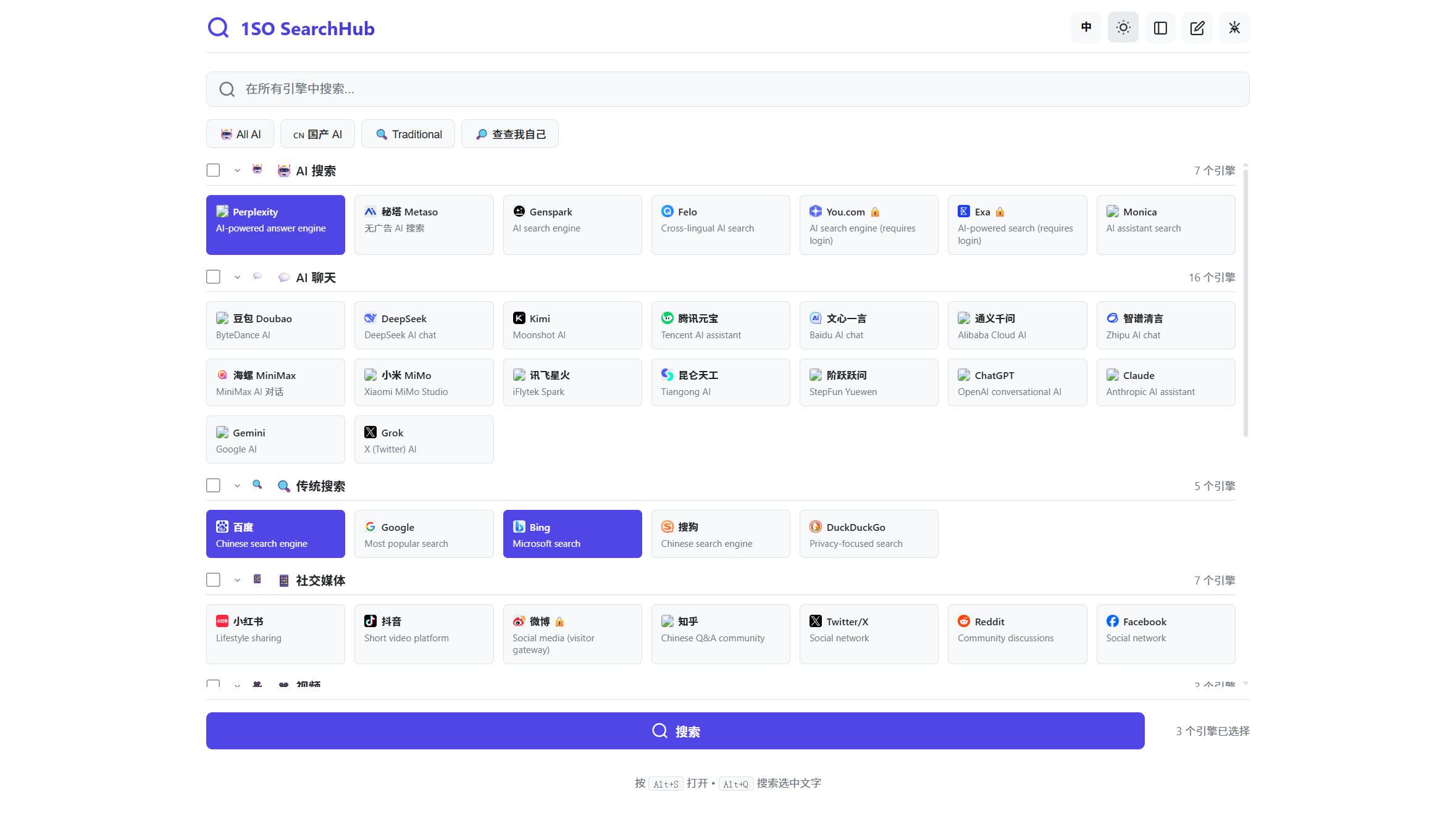
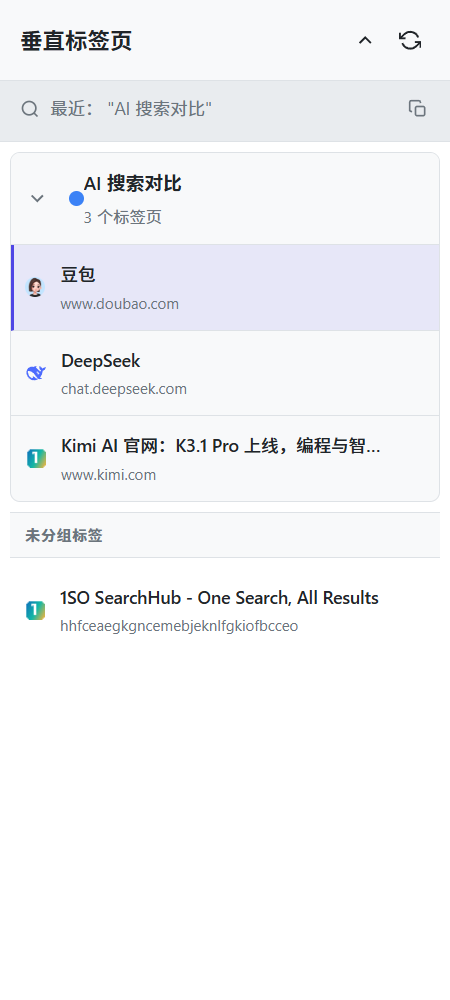
- Tick 3 engines → 3 result pages open at once
- They land in one colored tab group, not mixed with your other tabs
- The side panel lists them vertically — click through to compare
- Select text → right-click or
Alt+Qto re-run with your default combo
Install it, and tabs stop getting messy
The web version can already open several results at once. With the extension they land in one colored tab group, the side panel manages them, and you also get right-click and keyboard search.
One moment
Manual install (any Chromium browser, about a minute)
- Download the extension zip above and unzip it somewhere permanent.
- Open your extension manager: Chrome / Edge
chrome://extensions· Edgeedge://extensions· 360se://extensions· QQ: menu → App center. - Turn on Developer mode (top right).
- Click Load unpacked and pick the folder from step 1 (the one containing manifest.json).
- Click the toolbar icon, or press
Alt+S.
Opening tabs is the shell. Comparing is the point.
Different AIs disagree all the time. Put them side by side instead of refreshing one by one.
AI search, AI chat, classic search, social, video, maps, dev, shopping, knowledge — tick as many as you like.
One search → one colored tab group. Your existing tabs stay exactly where they were.
See a word you don't know? Select it → right-click or Alt+Q → it runs your default combo.
One honest note about the web version
Browsers block opening several windows at once. So the web version tries to open them all and lists whatever got blocked as links — one click each to finish. The extension isn't limited: it creates tabs directly inside the browser, which is why "one click, all open" really needs it.